
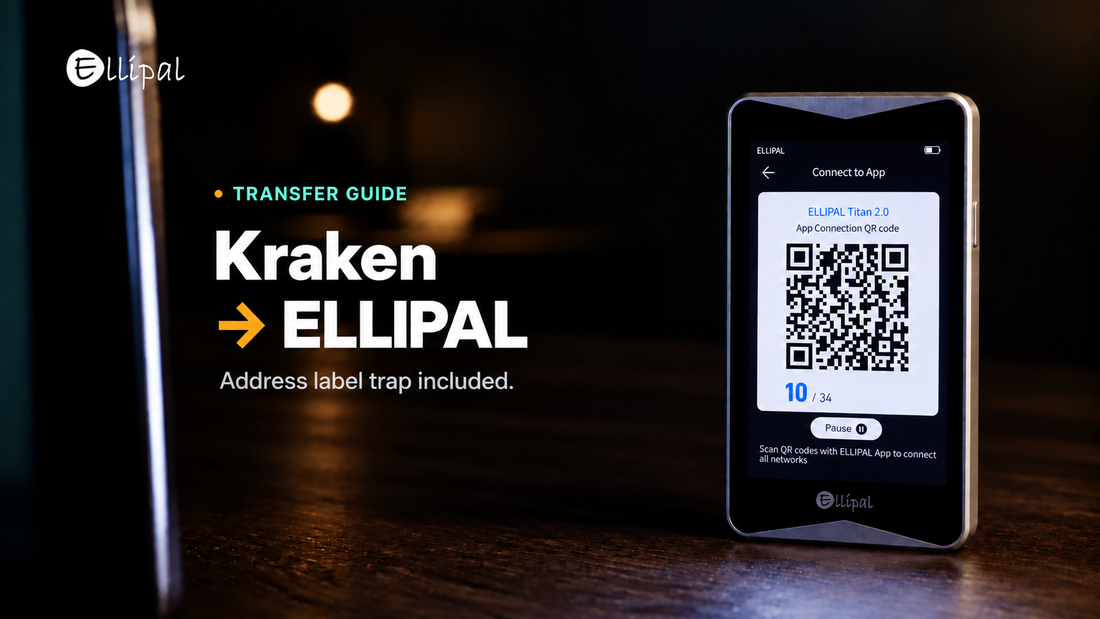
Main Takeaway: You move crypto off Kraken by saving your ELLIPAL wallet address as a withdrawal address, confirming it, then withdrawing. What stops people is the label, which has to be unique across your whole account, even across different coins.
Quick Reference
| Address label | Has to be unique across the whole account, even for two different coins. |
| Global Settings Lock | While enabled, Kraken will not let you add a withdrawal address. |
| Funding 2FA | The credential withdrawals use, set up separately from sign-in 2FA. A FIDO2 only key or a passkey cannot secure it. |
| Address formats | Zcash shielded (zs or zc) and NEAR named accounts are refused. Kraken's list is over a year old, so read it first. |
How do you transfer crypto from Kraken to an ELLIPAL wallet?
You transfer crypto from Kraken to an ELLIPAL wallet by saving its receiving address on Kraken, then withdrawing on-chain. Kraken holds the coins until that withdrawal confirms, which is when custody moves to you. Receiving needs no device action, because the address is public while the private key stays offline.
- In the ELLIPAL App, select the coin, tap Receive, and check the network matches Kraken's.
- Copy the address, then compare its first and last four characters.
- In Kraken, open that coin's withdrawal screen and add a new address.
- Paste it into the Address field, then label it by device and asset.
- Complete Kraken's confirmation, enter a small test amount, and clear the funding 2FA prompt.
- Send the rest once the test amount lands in the App.
Why Kraken rejects the label on your second address
Your first address saves without trouble. The second comes back as a duplicate, even though the address is different and belongs to a different coin.
Kraken requires every withdrawal address label on the account to be unique, and its help pages state you cannot reuse one even across two different cryptocurrencies. A label such as Hardware Wallet works once and then blocks everything behind it, so name addresses by device plus asset (Titan BTC, Titan ETH) from the first one.
The Global Settings Lock blocks the same screen. Kraken's articles state that with the lock enabled you will not be able to add a withdrawal address, and its GSL page lists that among the changes it prevents. Removing the lock takes a minimum of 24 hours and up to 30 days depending on your setting, and Kraken states it cannot expedite that wait. A Master Key unlocks immediately only if it was set up before the lock, and you cannot add a new one while the lock is active. So add and confirm your wallet addresses before switching the lock on.
Which situation matches yours
- You bought with a card in USD. Kraken's instant-buy FAQ states that card purchases in USD trigger the 72 hour lock on all purchases, not just your first.
- You are in the EU or the UK. Transfers above 1,000 EUR prompt Kraken to verify you own the wallet, by one-click Self-Certification or a Satoshi Test that sends from the address itself.
- Part of the balance will not move. Open orders, collateral behind an open margin position, a negative balance in any currency, and Opt-In Rewards allocations each block a withdrawal.
- You are in Canada. Kraken states you cannot send crypto assets to a third party, so fund only wallets in your name.
Where the ELLIPAL wallet fits
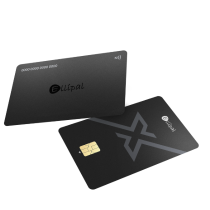
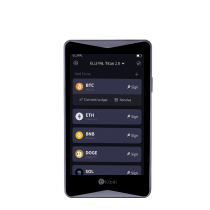
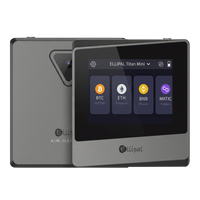
An ELLIPAL wallet is the end of the journey, and nobody else holds the coins once they arrive. The ELLIPAL Titan 2.0 is a cold wallet with no Bluetooth, no WiFi and no USB data connection, so transactions travel by QR code and signing happens on the device. The ELLIPAL X Card is an NFC cold wallet in card form, with no battery and no port, signed by tapping it to your phone. Different tools. Same mission. On both, private keys are generated and stored offline inside a secure chip, and the seed phrase follows the BIP39 standard that most wallets read, so recovery works elsewhere. More on storing crypto offline.
FAQ: Kraken Withdrawals and Cold Storage
Is it safe to withdraw from Kraken to a hardware wallet?
An on-chain withdrawal to an address you control is a standard transaction, and the address is where the care goes. ELLIPAL documents the common receiving issues.
How much does it cost to withdraw crypto from Kraken?
Fees and minimums vary by asset and network, so trust the figure Kraken shows at confirmation, not one quoted in a guide. Receiving into an ELLIPAL wallet adds nothing.
What happens to my crypto if I lose the ELLIPAL device?
Your coins are recorded on the blockchain, and the device holds only the key that signs for them. The seed phrase from setup restores the same accounts on a replacement, so that backup is the part to protect.
Does changing my Kraken password delay a withdrawal?
Only if you change it with neither Sign-in 2FA nor a Master Key enabled, and saved addresses are unaffected. Kraken's articles disagree on the length, 12 hours on one page and 24 elsewhere, so plan for 24.
About ELLIPAL
ELLIPAL has built cold wallets since 2018, with more than 1 million users across 140+ countries and support for 10,000+ tokens across 45+ chains.
Own it. Then use it.
Security note: no self custody setup removes every risk, and this article is educational rather than financial advice. ELLIPAL is a self custody hardware wallet provider that holds no customer funds, gives no investment advice and does not guarantee returns. It is not affiliated with Kraken. Buying, swapping and staking services are run by independent third parties, and availability varies by region, asset and provider.