

Main Takeaway: A phone can store keys in secure hardware, but it also runs many apps and stays online, so the device that holds your keys is also the one that decides what gets signed. A hardware wallet moves the keys to a device that only signs. Use the phone for the App and the network.
| Term | What it means here |
|---|---|
| Secure enclave | A protected area in a phone chip that stores keys and signs without exposing them. |
| Signing device | A device whose only job is to hold private keys and sign transactions. |
| Attack surface | Every route by which software or a person could reach your keys. |
| Clipboard hijacking | Malware that swaps an address you copied for the attacker's address. |
Can a phone replace a hardware wallet?
A phone can store keys well, yet it cannot do the one job a hardware wallet does, which is keeping keys on a device with no other work to do. Modern phones have a secure enclave, so the chip is not the gap. The gap is that the keys sit on the same device as every other app, sharing one operating system and one connection.
When malware reaches a phone, it can swap a copied address or put a signing request in front of you, and the phone's chip carries out what the phone's software asks. Related guides: hot vs cold wallets, what a secure element wallet is and how clipper malware works.
The ELLIPAL Security Lab starts from the same idea: remove the routes to your keys that do not need to exist.
Phone Wallet Compared With ELLIPAL Hardware Wallets
| Phone wallet app | ELLIPAL Titan 2.0 | ELLIPAL X Card | |
|---|---|---|---|
| Where the keys live | In the phone's secure storage or the app | In a secure chip on Titan 2.0 | In a secure chip on X Card |
| Connection | Online, alongside other apps | No Bluetooth, WiFi or USB data connection | No battery, USB, Bluetooth or internet connection |
| Where you read the transaction | The phone screen | Titan 2.0's own screen | The ELLIPAL App (X Card has no screen) |
| What it takes to sign | A confirm in the same app | Two QR scans and a confirm on Titan 2.0 | A tap of the card to the phone |
How ELLIPAL Titan 2.0 and ELLIPAL X Card Work With a Phone
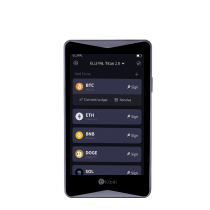
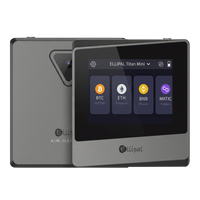
ELLIPAL Titan 2.0 generates and stores private keys offline. Each transaction takes two QR scans: the App shows the unsigned transaction, Titan 2.0 scans it, and after you confirm, Titan 2.0 shows a signed QR code for the App to scan back. For a transfer, Titan 2.0 reads the address, amount and fee from the unsigned transaction itself and shows them on its own screen. The extra scan is the price of keeping keys off the network.
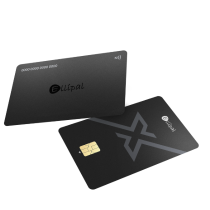
ELLIPAL X Card is an NFC cold wallet. Its keys stay in a secure chip, and you sign by tapping the card to your phone. If a transaction is altered on its way from the phone to the card, the change is detected. X Card has no screen, so you read the transaction in the ELLIPAL App before you tap.
Does buying from an official store settle the supply chain question?
A phone from an official store is an ordinary purchase. A hardware wallet is the one device whose purpose is holding your keys, so how it reached you deserves a few minutes of checking. Order from ellipal.com or a reseller it lists, and look over the box and device on arrival. Create your own seed phrase at setup, and send back any device that arrives with one already written.
The full checklist is in how to buy a hardware wallet online, and ELLIPAL's supply chain test covers the shipping route.
What a Hardware Wallet Does Not Cover
A hardware wallet removes one layer of risk: private keys sitting on a connected device. A hardware wallet cannot judge whether a request is a good one. If you confirm a malicious on-chain approval or sign a phishing request, the device signs it because you asked it to. A seed phrase that is photographed, copied or typed into a fake site is also out of the device's hands.
The X Card check covers the path between the phone and the card. If the ELLIPAL App itself is replaced or taken over, X Card cannot catch what that App chooses to show you, so install the App only from links on ellipal.com or official app stores. With either wallet, read the address and amount before you confirm.
Which situation matches yours?
- You spend small amounts daily: a phone wallet suits that balance, and a hardware wallet can hold savings.
- You hold long term and sign rarely: the QR steps of ELLIPAL Titan 2.0 fit a deliberate routine.
- You sign often and carry your wallet: ELLIPAL X Card signs with a tap and slips in next to your everyday cards.
- You install and test many apps: keep your keys on a separate device, away from the apps you try.
- You want to check each transfer on a second screen: ELLIPAL Titan 2.0 shows the address, amount and fee on its own display.
FAQ
Is it fine to keep a small balance in a phone wallet?
Yes, many people keep spending money in a phone wallet and savings on a hardware wallet. Decide how much you would accept losing if the phone's software were compromised, and keep only that on the phone. Move the rest to a hardware wallet as the balance grows, where the keys sit apart from your apps.
Is a hardware wallet worth the cost compared with a free app?
A wallet app costs nothing to install, while a hardware wallet is a one-time purchase with current prices listed on ellipal.com. The cost buys a separate device that holds your keys for years, worth weighing against what you plan to hold.
What happens to my crypto if I lose my phone?
Your keys are on ELLIPAL Titan 2.0 or ELLIPAL X Card, so losing the phone does not lose them. If you lose the hardware wallet itself, your seed phrase backup restores the wallet on a new device or another BIP39 compatible wallet.
Is signing on a hardware wallet slower than on a phone?
It takes a few more steps. With ELLIPAL Titan 2.0 you scan the unsigned QR code, confirm on the device and scan the signed code back. With ELLIPAL X Card you review the transaction in the App and tap the card to the phone. Each step is a point to check details before signing.
About ELLIPAL
ELLIPAL has built self-custody hardware wallets since 2018 and serves 1 million+ users across 140+ countries. ELLIPAL wallets support 45+ chains and 10,000+ tokens and use BIP39 seed phrases.
To keep your keys off your phone, ELLIPAL Titan 2.0 and ELLIPAL X Card are two ways to start. ELLIPAL Titan 2.0 signs through QR codes, and ELLIPAL X Card signs with a tap. Different tools. Same mission. Explore ELLIPAL wallets.