
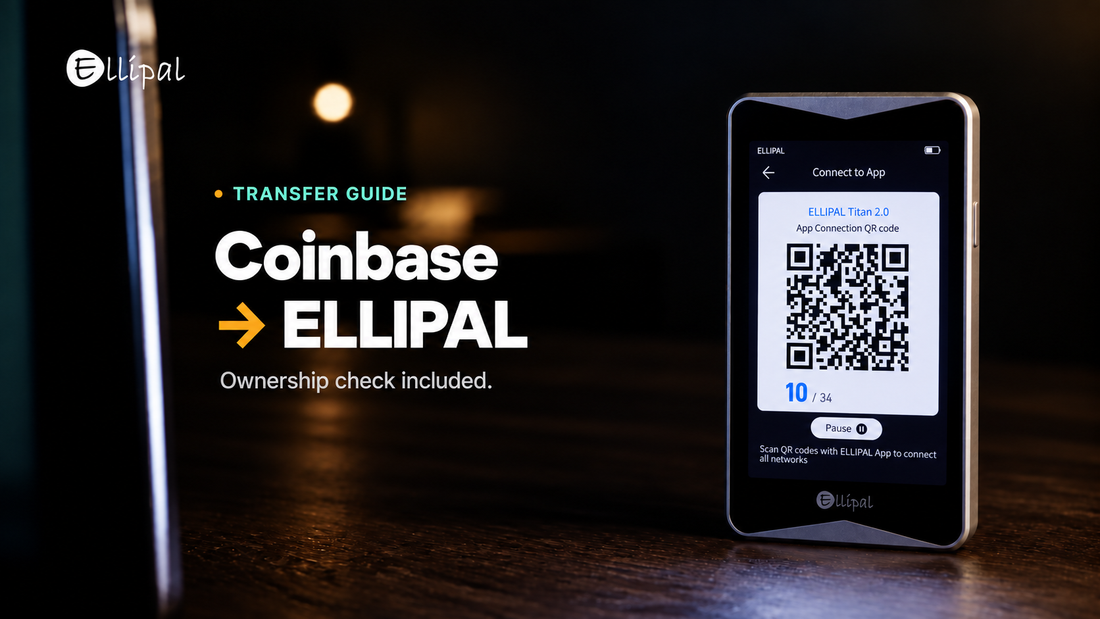
Main Takeaway: Moving crypto from a Coinbase account (Coinbase.com or the Coinbase App) to an ELLIPAL wallet is one on-chain send. What stalls people is ownership verification, because Coinbase verifies one address at a time, and its small deposit test needs funds already in that address. The self-custody Coinbase Wallet app is a separate product.
Quick Reference
| Small deposit test | Coinbase may ask the address being verified to send an exact amount plus fees. |
| Network | The blockchain your coins travel on. It must match at both ends. |
| Destination tag | An extra number some assets need when sending to exchanges. Coinbase says a self-custody wallet generally does not need one. |
| Transaction hash | The ID of your send. Paste it into a block explorer to see its status. |
How do you transfer crypto from Coinbase to an ELLIPAL wallet?
To move crypto from Coinbase to a cold wallet like ELLIPAL, you send an on-chain withdrawal to an address your ELLIPAL wallet generates. Custody moves to you when that withdrawal confirms.
- In the ELLIPAL App, select the coin, tap Receive, and note the network.
- Copy the address from that Receive page.
- In Coinbase.com, open the Dashboard, select "Send crypto", and choose the asset and amount.
- Select "To", choose the network that matches your ELLIPAL address, and paste the address.
- If Coinbase asks you to verify ownership, finish that check before you continue.
- Select "Preview Send", verify the full address and the network, then select "Send now". Complete 2-step verification if prompted.
Asset and network must both match your ELLIPAL wallet, and a matching coin name is not enough. Send a small test transfer first. Once it confirms, move larger balances in separate batches, checking receipt before each next one. In the Coinbase App, button names differ by region (Pay or Transfer), but the flow is the same.
Why Coinbase asks you to verify the same wallet twice
Coinbase may ask you to prove you own the destination before it releases a self-custody withdrawal. The check appears mid-send, after you choose the recipient address and before you submit. You pass, and a later withdrawal asks again. Follow the verification options shown for your account and supported by your wallet. None of them needs your seed phrase, so do not share it, or any of its words or word prefixes, with a website or support agent.
Coinbase verifies a single address, not a wallet: "the verification will only apply to that address, not to other addresses associated with your wallet". If Coinbase requires a small deposit test, that address sends an exact amount, and "The wallet needs to cover the amount required for the test deposit and applicable network fees". What matters is the balance of the address being verified, not whether the hardware device is new. Incomplete tests expire after 48 hours.
If the address cannot cover the test, fund it first with a little of the same coin. Only the small deposit test needs this step. After you pass, send to the verified address in Coinbase's email. The ELLIPAL App does not provide an xpub export option, so Coinbase's extended public key method is not available through the App.
If your Coinbase send gets stuck
- Pending: sends wait for network confirmations, and congestion or a low fee slows them. Wait for Completed.
- Withdrawal limited: crypto bought with cash on hold cannot be sent until the hold lifts, and Coinbase Support cannot shorten it. A restricted account lists its steps in-app.
- Wrong network: on-chain sends are irreversible, and Coinbase can't retrieve funds sent to the incorrect address or network.
- Balance not showing: use the transaction hash to check network, status and recipient address on a block explorer, then match that address to the account open in the ELLIPAL App.
- New XRP address: it needs a 1 XRP base reserve to activate, so a smaller first payment fails. Our XRP guide covers activation.
Where the ELLIPAL wallet fits
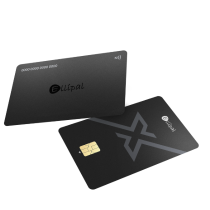
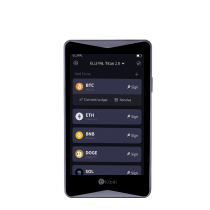
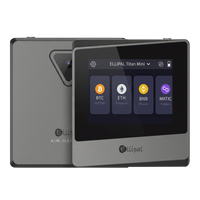
ELLIPAL Titan 2.0 has no Bluetooth, no WiFi and no USB data connection, so transactions travel by QR code. ELLIPAL X Card is an NFC cold wallet in card form, with no battery and no port, signed by tapping it to your phone. Different tools. Same mission. Both use BIP39 seed phrases. More on where your crypto actually lives.
FAQ: Coinbase Withdrawals and Cold Storage
Why does Coinbase ask me to verify my wallet again?
A different address from the same wallet starts a new check. To avoid repeating the small deposit test, send to the verified address Coinbase emailed you.
Is it safe to transfer crypto from Coinbase to a hardware wallet?
A send to your own address is a standard withdrawal, and the address is where the care goes. ELLIPAL documents the common receiving issues.
How much does it cost to move crypto off Coinbase?
The network fee quoted on the Send screen. Coinbase says the final fee "may differ from the estimated fee due to factors such as batching transactions". USDT withdrawals add 0.01% of the amount, up to 20 USDT.
What happens to my crypto if I lose the ELLIPAL device?
Your coins are recorded on the blockchain, and the device holds only the key that signs for them. The seed phrase from setup restores the same accounts on a replacement, so that backup is the part to protect.
About ELLIPAL
ELLIPAL has built cold wallets since 2018, with more than 1 million users across 140+ countries and support for 10,000+ tokens across 45+ chains. ELLIPAL holds no customer funds and is not affiliated with Coinbase.
Explore ELLIPAL wallets, pick the one that fits, and you're ready to receive your first transfer from Coinbase.