

A seed phrase restore rehearsal is a planned check of whether the words you wrote down actually rebuild your wallet. It runs on a copy you already hold, in stages, so that the cheapest checks come first. Most people write the words down once and find out years later whether that was enough.
How to Test a Seed Phrase Backup With the Least Exposure
A seed phrase restore rehearsal starts with a retrieval drill you can run without reading the words, then a word by word read against a printed BIP39 list. An end to end restore on a second offline device comes last, once those two are clean. Keep the words off browsers, phones and cloud storage at every level.
Quick Reference
| Term | What it means |
|---|---|
| BIP39 word list | The fixed word list a BIP39 backup is drawn from, English in most wallets, and a word that is not on the list gets rejected by the wallet. |
| Derivation path | The numbered rule a wallet follows to turn one seed phrase into one specific set of addresses, written in a form like m/44'/60'/0'/0. |
| Account index | The number that selects which account inside a derivation path you are reading, where the first account is usually index 0. |
| First receiving address | The first address a wallet generates for an account, and the value you compare when the same words are restored somewhere else. |
| Retrieval drill | A timed walk through of finding your backup and confirming which wallet and which device it belongs to, done without opening or reading it. |
| Rehearsal ladder | The five levels in this article, ordered so the read only checks come first and each step up puts more at stake. |
The Rehearsal Ladder at a Glance
The rehearsal ladder splits one vague task, testing your backup, into five levels. Each level answers a different question and carries a different amount of exposure. The ladder also settles an order that is easy to get backwards. Prove the backup before you touch the device that still holds the keys, since a read only check leaves your fallback in place.
| Level | Action | What it proves | What it exposes |
|---|---|---|---|
| 0 | Retrieval drill | You can reach the backup on your own, and you know which wallet and which device it belongs to | Nothing beyond the room you are standing in |
| 1 | Word list read | Every word is legible, sits on the BIP39 list and reads in an order with no ambiguity | The words, to your own eyes and to anything that can see your desk |
| 2 | Native device check | The words match the keys the device already holds | The words, to the device keypad only, with no computer on the path. This level applies where the device offers such a mode |
| 3 | End to end restore on a second offline device | The words alone rebuild the wallet, confirmed by comparing the first receiving address | The words, to the second device |
| 4 | Rotation after a failed rehearsal | Nothing further about the old backup, since the case is closed | The setup process of the new wallet only |
Level 0: Run a Retrieval Drill Without Reading the Words
A retrieval drill answers two questions at once: whether you can reach your backup on your own, and whether you know which wallet and which device it belongs to. A backup you cannot locate has already failed, whatever the words on it say, which is why this level comes before any reading. The drill keeps the words unread, since nothing gets opened and nothing gets typed, and ten minutes covers it.
- Pick a time when the house is yours and no camera points at your desk.
- Set a time limit, then go to where the backup is kept and bring it back.
- Check that the container is sealed as you left it and the count matches your record.
- Say out loud which wallet and which device those words belong to, then check that against your label.
- Return the backup to its place, and note the date of the drill somewhere separate.
Small problems surface here first: a location only one person can reach, a key that went missing two moves ago, a label that says wallet and nothing else. Where the backup lives and who can reach it are covered in how and where to store a seed phrase backup.
Level 1: Check If Your Recovery Phrase Is Correct Against a Printed Word List
A word list read checks legibility and order, with the backup in front of you and a printed word list beside it. Handwriting is where this level does most of its work, since the word you meant and the word on the page can drift apart over years in storage. The background on these words sits in this guide to seed phrases.
- Print the BIP39 word list in advance, so no browser is open once the words are out.
- Work somewhere with no camera pointed at the table and no phone recording.
- Confirm each word appears on the list, and mark any letter you could read two ways, such as a closed a passing for an o.
- Confirm the numbering, so word seven is the seventh word and not the seventh line of a two column layout.
- Cover the backup, put it back, then shred the printed list.
A copy that is merely hard to read is worth rewriting on the spot. Anyone rewriting one can follow the same routine used at setup, laid out in how to back up a hardware wallet.
Level 2: Run a Seed Phrase Dry Run Recovery, Where the Device Offers One
Some signing devices ship a built in backup check and some do not, so this level is conditional. If your signing device has a built in backup check, that check keeps the words on the device that already holds them, so a computer stays off the path. Where the mode exists it usually carries a name like backup check or recovery check.
- Read the documentation for your model and look for a mode that verifies an existing backup without wiping the wallet.
- If that mode exists, run it with the backup in front of you and the words entered on the device itself.
- Treat a mismatch as a reason to repeat Level 1 first, since a misread word is a common explanation.
- If no such mode exists, write that down and move to Level 3.
A missing Level 2 is ordinary, and the ladder runs from Level 1 straight to Level 3 when a device has no native check. A common order in support threads runs the other way: wipe the funded device, then restore onto it to see whether the backup works. Wiping first takes away your fallback before the backup has been checked, which is why every read only step sits ahead of anything that touches the device still holding the keys.
Level 3: Restore the Wallet on a Second Device and Compare the First Address
An end to end restore proves the words alone rebuild the wallet, and it is the level where the words get entered somewhere new. The order is fixed here: prove the backup first, while the device that still holds the keys stays untouched.
- On the funded wallet, open the receive screen for the account you are testing, write down its first receiving address, then close the screen.
- Prepare a second signing device that holds no funds, and start it in restore mode and not in new wallet mode.
- Enter the words on the second device using its own keypad or screen, keeping a computer off the path.
- Set the same derivation path and the same account index the original wallet uses, since a mismatch on either produces a different address.
- Compare the first receiving address of the restored wallet against the original, reading the whole string and not only the last four characters.
- Record which path and index produced the match, along with the date.
- Leave the funded device untouched throughout, since no step at this level writes anything to it.
Comparing addresses moves no funds and needs no signature, because a matching first receiving address is enough evidence that the words rebuild the same wallet. Finish the restore in one sitting, since a half completed restore left overnight is how a second device ends up holding words nobody remembers entering. Readers facing the harder case, where the original device is already gone, can read what happens if you lose your hardware wallet. After the first receiving address matches, reset the second device, or keep it stored as a second live copy of the same wallet.
Level 4: Rotate the Wallet After a Failed Rehearsal
Rotation ends the investigation instead of extending it, since a check has already failed. A failed rehearsal says the old words are unreliable, and more reading does not make them reliable again, so the practical step is a wallet created today with a backup you can rehearse this week.
What to Check First When a Seed Phrase Will Not Restore
A short triage list comes before any decision to rotate, because several ordinary settings produce the same symptom. Work down it and stop at the first item that explains what you are seeing.
- Confirm the word count you entered matches the count on the backup.
- Re-read every word against the printed list, watching for lookalike pairs in your handwriting.
- Check the order against your record, including numbering added after the fact.
- Confirm the target wallet supports the same derivation path and account index the original used.
- Repeat the restore on a different device model if one is available.
Rotation is the step left once that list is used up, and it runs in four moves.
- Set up a new wallet on a device you control, and write the new backup during setup, not afterwards.
- Run Level 0 and Level 1 on the new backup that same week, while the setup is fresh in memory.
- Move the funds across, starting with a small test amount and confirming it arrives.
- Retire the old backup once the balance has settled, and label the new backup with its wallet and device.
Working the triage list first costs an evening, and a rotation costs a device setup and a transfer of funds, so the list is worth finishing before a rotation starts.
Why a Rehearsal Catches What Writing It Down Does Not
Three failures account for most backups that do not restore, and each one is visible from a rehearsal months or years before the day the backup is needed. The first is a single word copied wrong. A wallet will reject most wrong words outright, and a wrong word can still slip through and rebuild a different wallet with no warning, which is why Level 3 turns on the address comparison.
The second failure is order. Word order counts for as much as the words themselves, and a phrase written into a two column grid can be read down one column when it was written across the rows. The third failure has nothing to do with the words at all. A set of 12 or 24 words with no note of which wallet and which device it came from leaves you testing derivation paths and account indexes one at a time.
Repeating the lower levels on a schedule keeps the answer current as storage locations and devices change around the backup. Once a year suits most setups, with an extra run after anything moves.
A rehearsal tests the copy in your hand. It does not create a second copy, and one copy in one location is still a single point of failure. Devices fail, and a backup you cannot find works out the same as no backup at all.
How ELLIPAL approaches seed phrase backup, including the ELLIPAL Seed Phrase Steel, is covered in the ELLIPAL Security Lab.
Which Situation Matches Yours
You Have One Signing Device and It Holds Funds
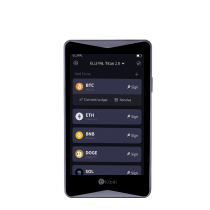
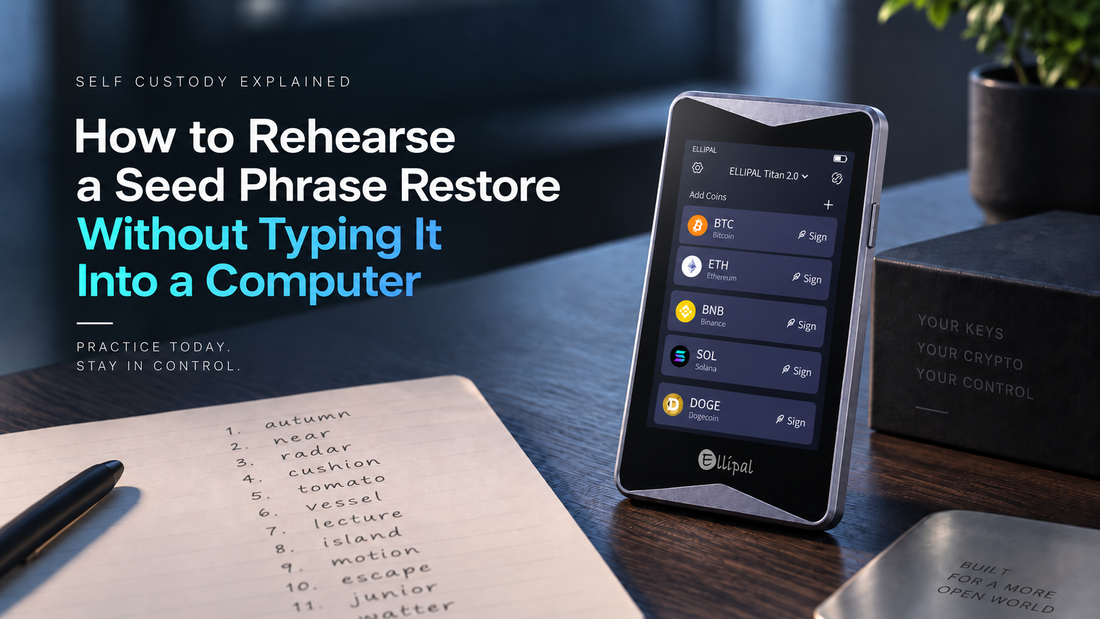
Levels 0 and 1 apply as written, and whether a Level 2 native check exists at all is answered by your own model documentation and not by this ladder. A Level 3 restore waits until a second device is on hand, since restoring onto the funded device would mean wiping it first. ELLIPAL Titan 2.0 has its own screen, and the words are entered on the device rather than on a computer.
You Have Two Signing Devices on Hand
Two devices let you run every level. The one to restore onto at Level 3 is the one holding no funds, and two devices also let you split the roles, keeping one in storage and one in regular use.
Your Wallet Is a Card and the Words Were Created on a Separate Offline Device
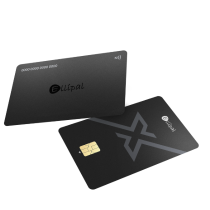
A written backup can be read without the card in hand, so the retrieval drill and the word list read run exactly as described above. Card shaped wallets sign over NFC, the short range radio link that carries data when the card touches the phone. A Level 3 restore depends on what the setup device supports, so check its documentation first. ELLIPAL X Card is an NFC cold wallet with no screen, and the recovery phrase is created and imported on the offline Starter device.
You Share Access With a Partner or a Family Member
A shared setup needs the drill run by the person who did not write the words, because that is the person who will be doing it for real one day. Have them find the backup, name the wallet it belongs to and stop there.
You Wrote the Words Down Years Ago and Have Not Looked Since
Level 0 goes first here, on its own, before any reading. Old backups tend to fail on location and labeling before they fail on spelling, and a drill that ends with the backup back in place tells you whether the rest of the ladder is worth scheduling this month.
Frequently Asked Questions
Does rehearsing a restore put my crypto at risk?
A rehearsal carries only the exposure you build into it, so the lower levels keep the words off any networked device and off camera. Level 3 is the one level where the words enter a second device, and that is the level to plan in advance.
How often should I rehearse a seed phrase restore?
Once a year is a reasonable default. Add one more after anything about your setup changes, such as a move, a new storage location or a new device.
Can I check a seed phrase on a website?
No. A site, browser extension, support chat or AI tool that asks for your words is asking for control of the funds, and a real check does not happen in a browser. The levels in this article run on paper and on signing devices, which is the reason the word list gets printed before the backup comes out. Words that have already gone into a web form call for a new wallet and a move of the funds.
Do I have to move my funds before I rehearse?
Not for the first two levels. Prove the backup first, while the funded device stays untouched.
What does it mean if the restored wallet shows a different first address?
A different first receiving address usually points to a mistyped or misordered word, a different derivation path or a different account index. Check them in that order, since the cheapest fix comes first. If every word is on the BIP39 list and the order matches what you wrote down, stop and have the setup checked before you move anything.
Is a photo of my seed phrase a backup?
A photo is not a backup. It lives on a networked device, and on whatever cloud it syncs to.
How many copies of a seed phrase should I keep?
More than one. A single copy is a single point of failure, and a rehearsal tests the copy you already hold without creating a second one.
Does word count matter?
Yes. A BIP39 backup is usually 12 or 24 words, and a rehearsal has to use the same count.
What if one word is unreadable?
Treat the backup as failed instead of guessing. Then set up a new wallet and write a fresh backup.
Does an ELLIPAL Titan 2.0 owner rehearse differently from an ELLIPAL X Card owner?
Different tools. Same mission. The levels that involve reading the words apply to both, and the difference is where the words get entered: ELLIPAL Titan 2.0 has its own screen, and ELLIPAL X Card, an NFC cold wallet, is set up with the offline Starter device.
Is a rehearsal the same as a recovery service?
A rehearsal is something you run with your own backup. Most services that offer to recover a phrase ask you to hand the words over, and that is the part a rehearsal is built to avoid. The earlier levels also run while your options are open, since they happen before anything is missing, and they cost a printed list and an hour of your time.
About ELLIPAL
ELLIPAL is a self-custody hardware wallet maker, on the market since 2018, with more than 1 million users in 140+ countries. ELLIPAL wallets cover 10,000+ tokens across 45+ blockchains and are BIP39 and BIP44 compatible. Private keys are generated and stored offline. Browse the current range of ELLIPAL hardware wallets to see which form factor fits the way you hold crypto.
Own it. Then use it.
Security note: No self-custody setup removes every risk. Offline key generation and offline signing close significant categories of remote attack, but they do not eliminate physical, supply chain, firmware, social engineering or user error risks. Buy from an official source, keep the recovery phrase on an offline backup stored separately from the device, do not share it or enter it digitally, and confirm the details of every transaction before you approve it. This article is general educational information about wallet backups. It is not financial, investment or custodial advice.