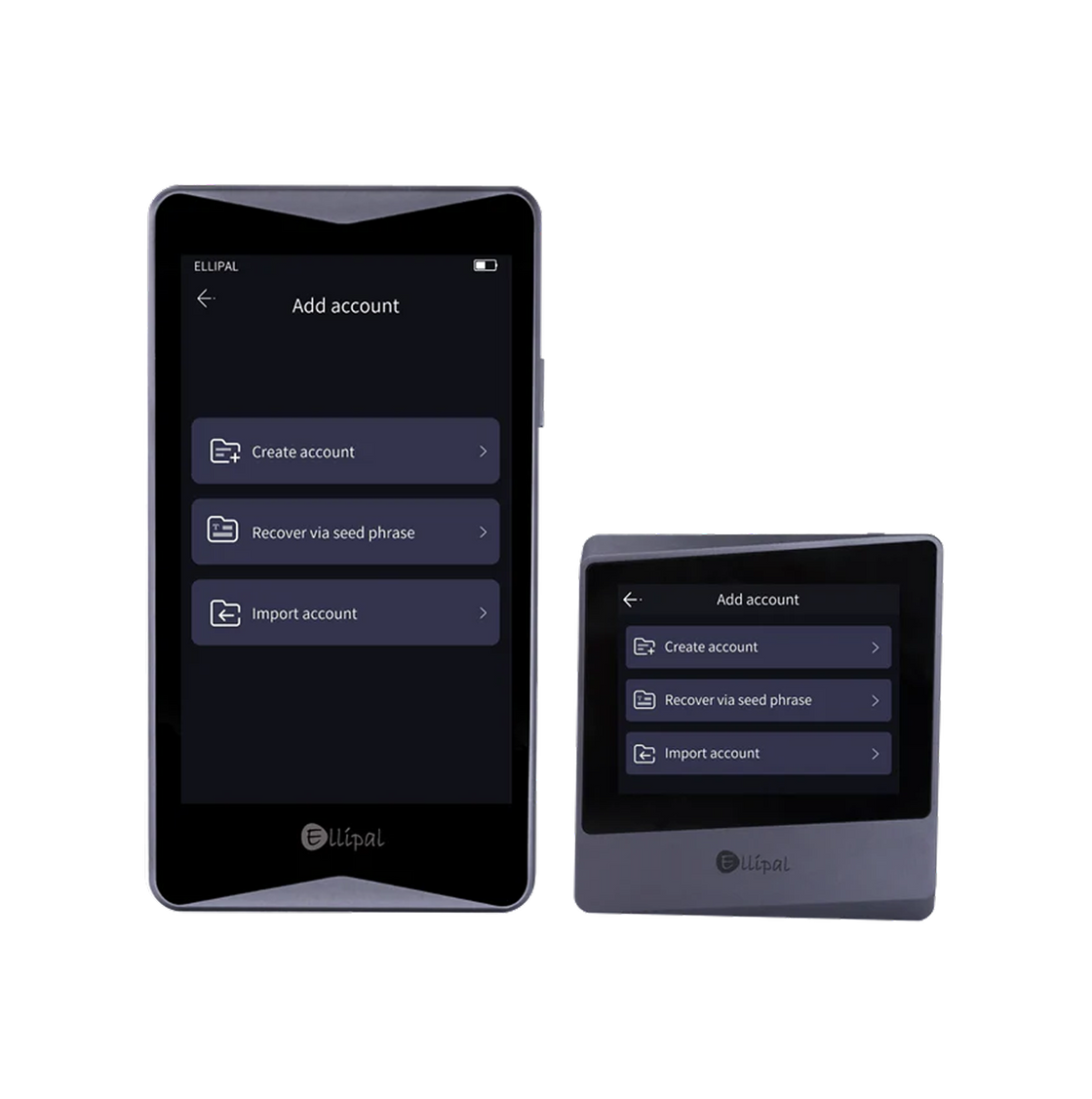
Setting Up Your ELLIPAL Titan

Every step of creating your account happens on the device itself - ELLIPAL Titan never needs to go online.

Air-gapped signing No WiFi / Bluetooth / USB Zero breaches

Download the ELLIPAL app.

This is where you'll view balances - your device stays offline the whole time.

⚠ Official downloads only

Only download ELLIPAL from the official App Store or Google Play listing. Don't trust links from ads, social media messages, or search results claiming to be ELLIPAL - that's how people get scammed.

New to Titan, or coming back?

FIRST TIME

Create a new wallet

Start fresh on your Titan and generate a brand-new seed phrase.

  • A new seed phrase is generated for you
  • You'll write it down as your only backup
  • Empty and ready for your first deposit
RECOVERY

Restore an existing wallet

Already have a seed phrase from a previous wallet? Bring it back on Titan.

  • Enter your existing seed phrase
  • No new phrase is generated
  • Same balances reappear once synced
CREATE A NEW WALLET

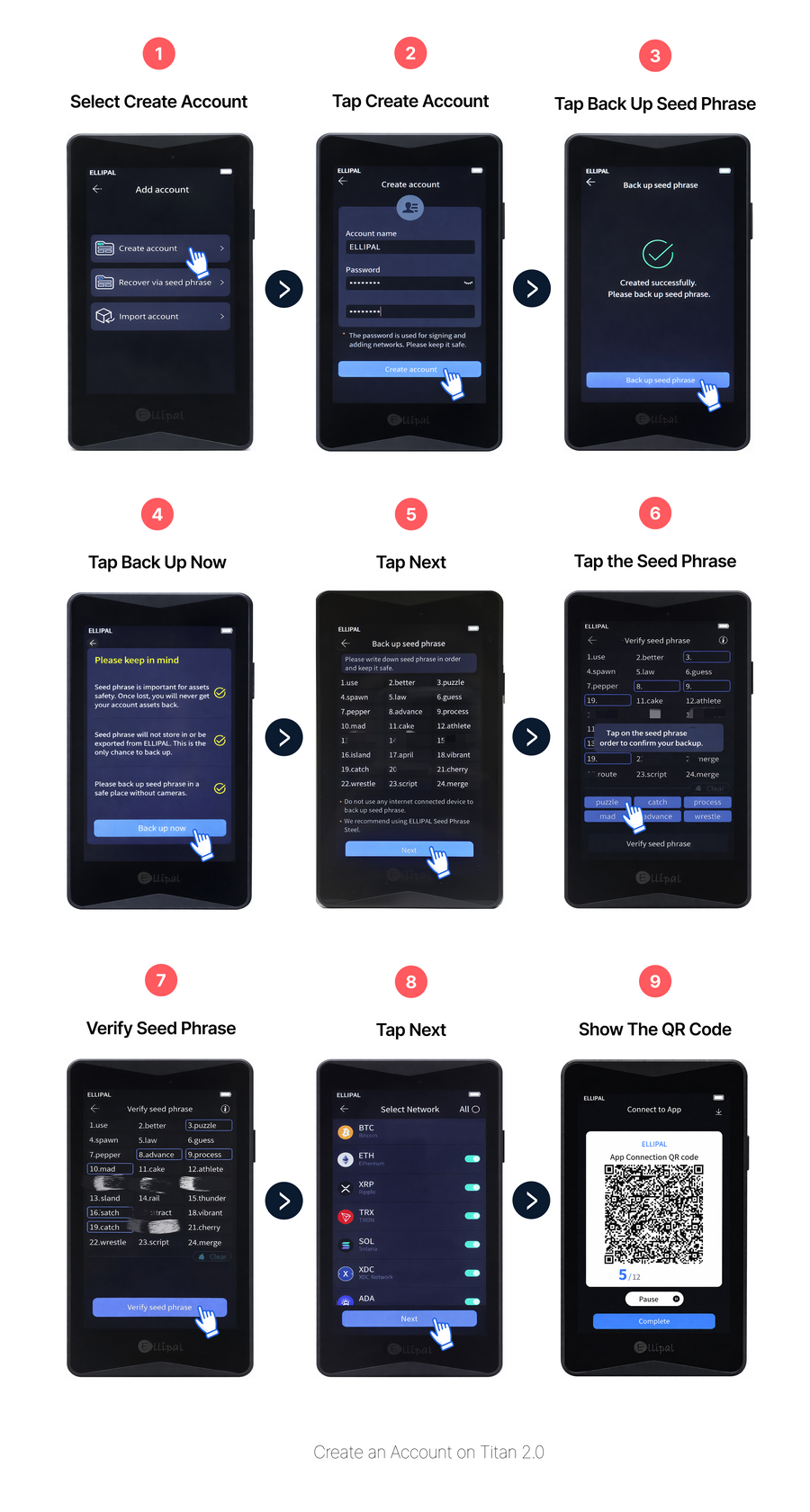
Three steps to your new wallet.

Find somewhere private, and have paper and a pen ready.

1

Create your account

Give your account a name and set a password on the device.

2

Back up your seed phrase

Write down every word in order, then confirm it on the device by tapping the words back in the same sequence.

⚠ Seed phrase safety

Your seed phrase is the only backup to this wallet. Never photograph it, screenshot it, or store it on any connected device - and no one, including ELLIPAL support, will ever ask you for it.

01
• • • • •
02
• • • • •
03
• • • • •
04
• • • • •
05
• • • • •
06
• • • • •
07
• • • • •
08
• • • • •
09
• • • • •
10
• • • • •
11
• • • • •
12
• • • • •
3

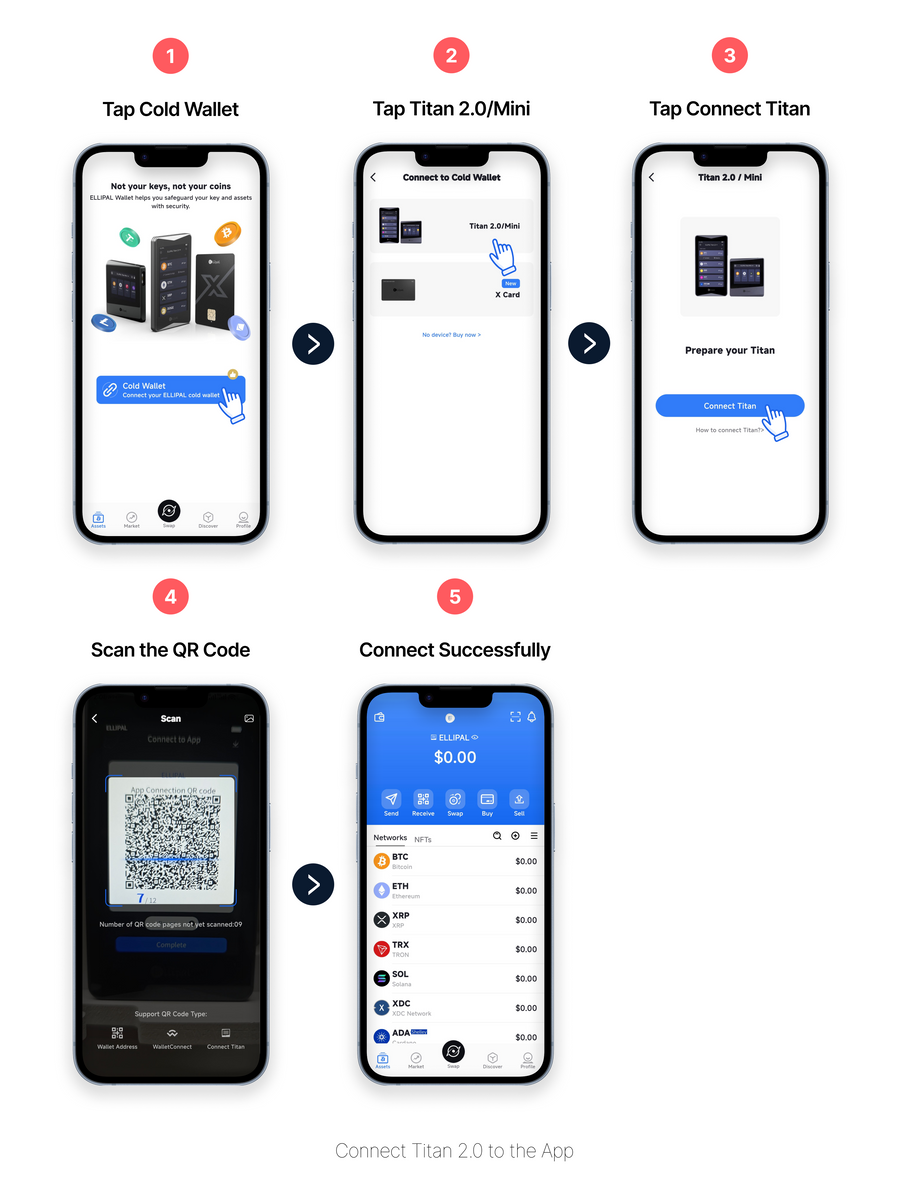
Connect to the app

Choose the coins you want to add, then scan the QR code with the app to connect your Titan.

See the full step-by-step tutorial →

Once connected, your Titan is fully set up - this is where you'll see your account in the app.

You're all set.

Your ELLIPAL Titan is ready. Keep your seed phrase safe and offline - that's your only backup.

Receive your first assets.

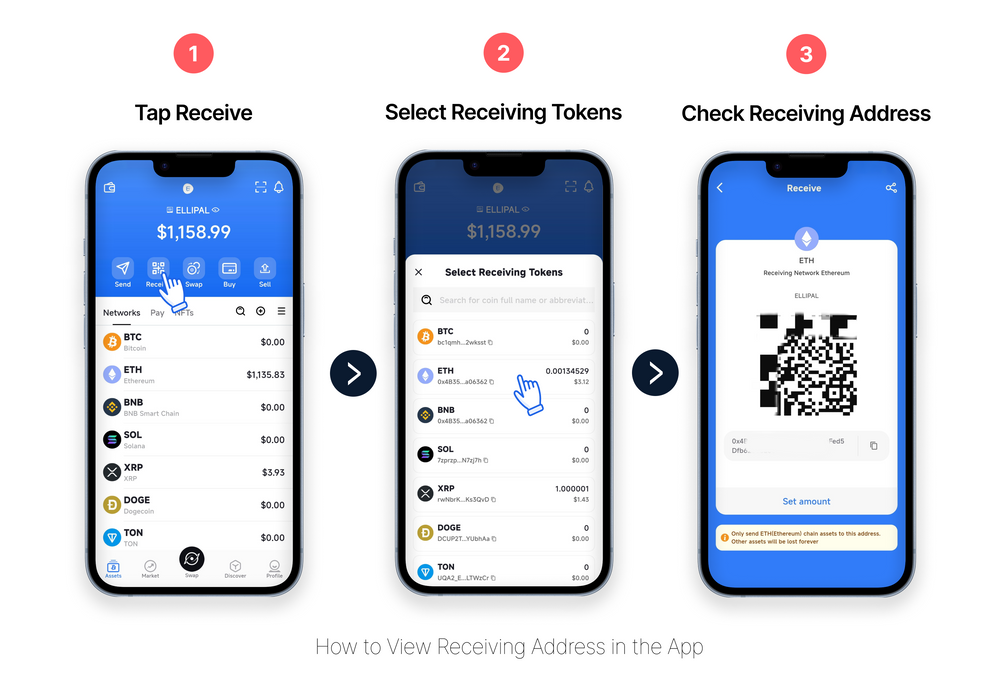
Want to move assets from an exchange to your ELLIPAL Titan? Follow the steps below to find your wallet address.

1

Find your receiving address in the app

Choose the coin you're expecting - the app shows an address and QR code.

2

Match the address on your Titan device

The address on-device must match the app exactly before you share it with anyone.

NOTE

Send a small test amount first - confirm it arrives before sending anything larger.

What's next.

Come back to these whenever you need them - no rush.

Send

Move crypto to another wallet or exchange.

How it works →

Swap

Trade one coin for another, directly in the app.

How it works →

Staking

Earn rewards by staking your crypto.

How it works →

Firmware Update

Keep your Titan's firmware up to date.

How it works →

FAQ

No. The password just unlocks your ELLIPAL Titan device. Your seed phrase is the only way to restore your wallet if the device is ever lost, damaged, or replaced.

As long as you still have your seed phrase, you can restore your wallet on a new ELLIPAL Titan. Your balances live on the blockchain, not on the device itself.

Yes. You can add new coins and networks from the app at any time - you don't need to repeat this setup.

Your ELLIPAL Titan stays offline on purpose, so it doesn't fetch balances from the blockchain. Open the app to see balances - it syncs that information without ever exposing your seed phrase.

No. Your seed phrase never leaves the device, and ELLIPAL has no way to access your funds or account information.

Find your fit

Two ways. Both yours.

The same self-custody. Choose the wallet that feels right for how you use your crypto.

Everyday / On-the-go

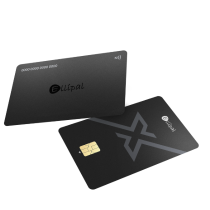
ELLIPAL X Card

The easiest NFC cold wallet.

Up to 50% Off
  • NFC Tap to Sign
  • Ready in 3 Minutes
  • 100% Offline Setup
  • Carry It Anywhere
From$66.95$133.90
Get ELLIPAL X Card
Long-term / At home

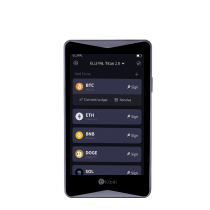
ELLIPAL Titan 2.0

The world's first air-gapped crypto cold wallet.

Special Price
  • Air-Gapped Tech
  • Clear Signing
  • Full Metal-Sealed Body
  • Easy to Use